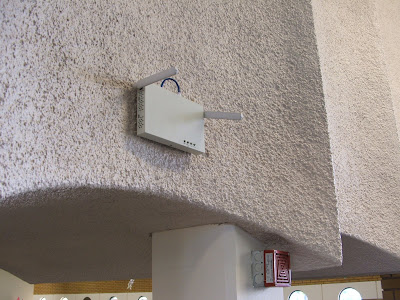
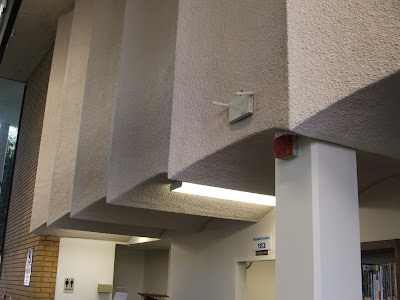
Wireless is now available WITH printing at the Hanford Branch Library. Printing does cost 15 cents a page and is only available in black and white. We do not offer color printing.
Testing has indicated that the wireless signal reaches as far as the library's rear parking lot and Superior Dairy which is located across the street.
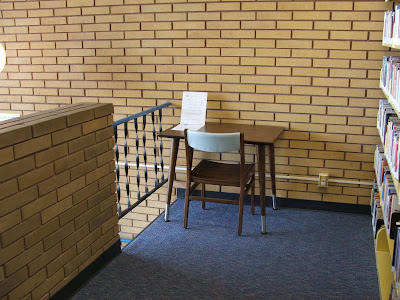
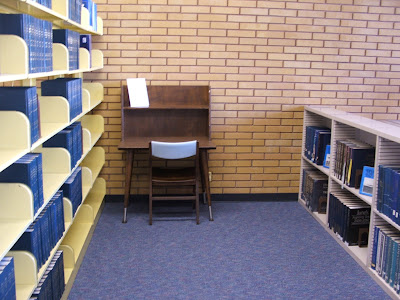
We have two desks located on the second story mezzanine area that are near electrical outlets for the convience of laptop users.
At this time, the number of wireless users will be limited to five. The signal will only broadcast during the library's business hours.
Monday-Wednesday: 10:00 a.m.-8:00 p.m.
Thursday: 10:00 a.m.-6:00 p.m.
Friday-Saturday: 12:00 p.m.-5:00 p.m.
The Hanford Branch of the Kings County Library now has wireless access.
1.
WIRELESS TECHNICAL SUPPORTYou will need a laptop/notebook that has a wireless network card and capabilities. The library does not provide external network cards.
Library staff is not able to provide technical assistance due to the wide variety of hardware available. Users assume responsibility for their own equipment.
2.
WIRELESS SECURITYThe wireless network provided by the library is not secure. Patrons are cautioned to use good judgement when sending any personal information over wireless networks.
The library is not responsible for protecting the user's equipment from viruses and the like. Wireless network users are encouraged to have their own anti-virus and firewall software installed on their own equipment.
3.
USING WIRELESS IN THE LIBRARYThe wireless service we provide is filtered. By choosing to use this free service, you are agreeing to the library's internet policy.
Printing IS available on our wireless network at a cost of 15 cents per page. Please follow the instructions when using wireless printing. NOTE: at the end of your wireless session, printing scripts will be removed.
Wireless speed can vary depending on the amount of wireless users within the library. The library does not guarantee a set amount of bandwidth.
QUICK AND EASY INSTRUCTIONS FOR WIRELESS CONNECTION IN THE LIBRARY
1. Make sure your wireless device is activated.
2. Open your wireless network capabilities. Wireless network connection options are typically located in the lower right hand corner of most laptops (designated by an icon) or in the Control Panel of your pc under Network Connections.
3. Click on "View Wireless Networks" from within available networks.
4. Choose Library-Wireless and connect to it.
5. Close the utility and open your web browser.
6. On the left hand side of the screen you must enter your library card, pin number and check mark the "I accept terms of service."
7. You have now successfully logged on to the library wireless network.
Please remember to log out of the wireless network when you leave.How to install printing:1. Make sure you have configured your wireless device to allow pop-ups.
2. After you have successfully logged on to the wireless network, a window will pop up asking, "Do you want to print today?" Click on YES.
3. Another pop-up window will appear asking if you want to open or save a file called runtpc.vbs. This is a temporary script that installs printing capabilities while you are in the library. Click on OPEN.
4. Depending on your settings, another box may pop up asking you if you are sure you want to run this software. If you want to print, the answer is to click on RUN.
5. This will bring you back to the screen that asks, "Do you want to print today?" Click on YES.
6. This brings you to the Envisionware Software License Agreement. You must select ACCEPT in order to print.
7. Once you do this, LPTONE: One Thin Print Client will be minimized at the bottom of the screen. You are now able to print over our wireless network.


